
Works in any browser, installs to your home screen, and is on the App Store and Google Play.
Getting it in
The recipe is never in a convenient place.
It's a link someone sent at eleven at night. A video where the ingredients only exist in the caption. A card in your mother's handwriting that you are not willing to lose.
Paste it, share it to Chefra from wherever you found it, or photograph it. What comes back is a real recipe — title, ingredients, steps, photo — not another screenshot you'll never find again.
Where it can read from
- Recipe blogs and cooking sites
- TikTok
- YouTube
- A photo of a handwritten card
- Text you paste
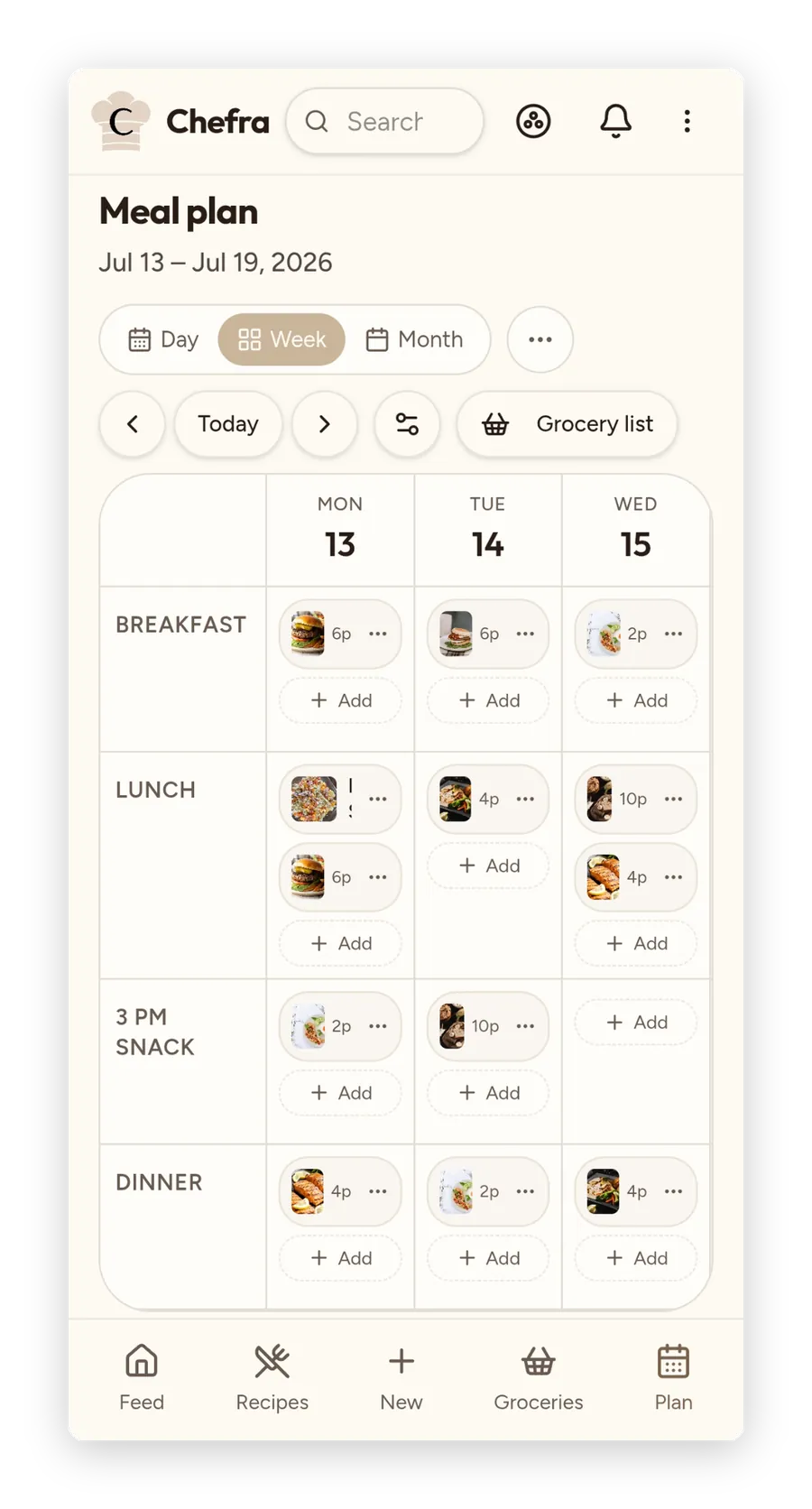
Getting it cooked
Drag dinner onto a day. The list writes itself.
Plan the days you'll actually cook
Put recipes on the days you mean to make them, so dinner is decided before you're hungry.
Push that stretch into a grocery list
The ingredients come together into a single grocery list instead of five open tabs at the store.
Cook without touching the screen twice
Step by step, with timers built in, servings that scale to who's eating, and a screen that stays awake with your hands covered in flour.
The part other recipe apps skip
A recipe is worth more when someone else has it too.
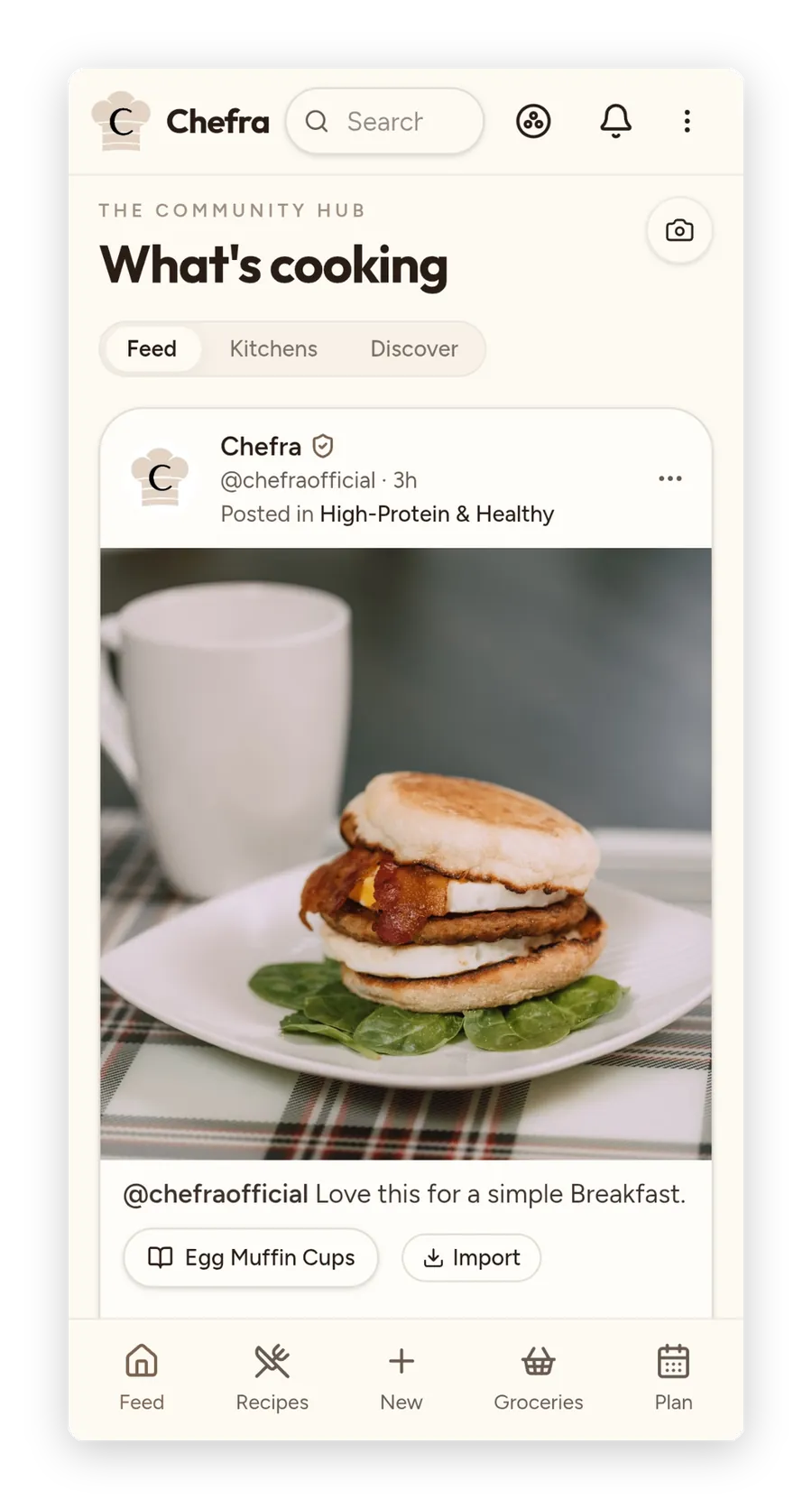
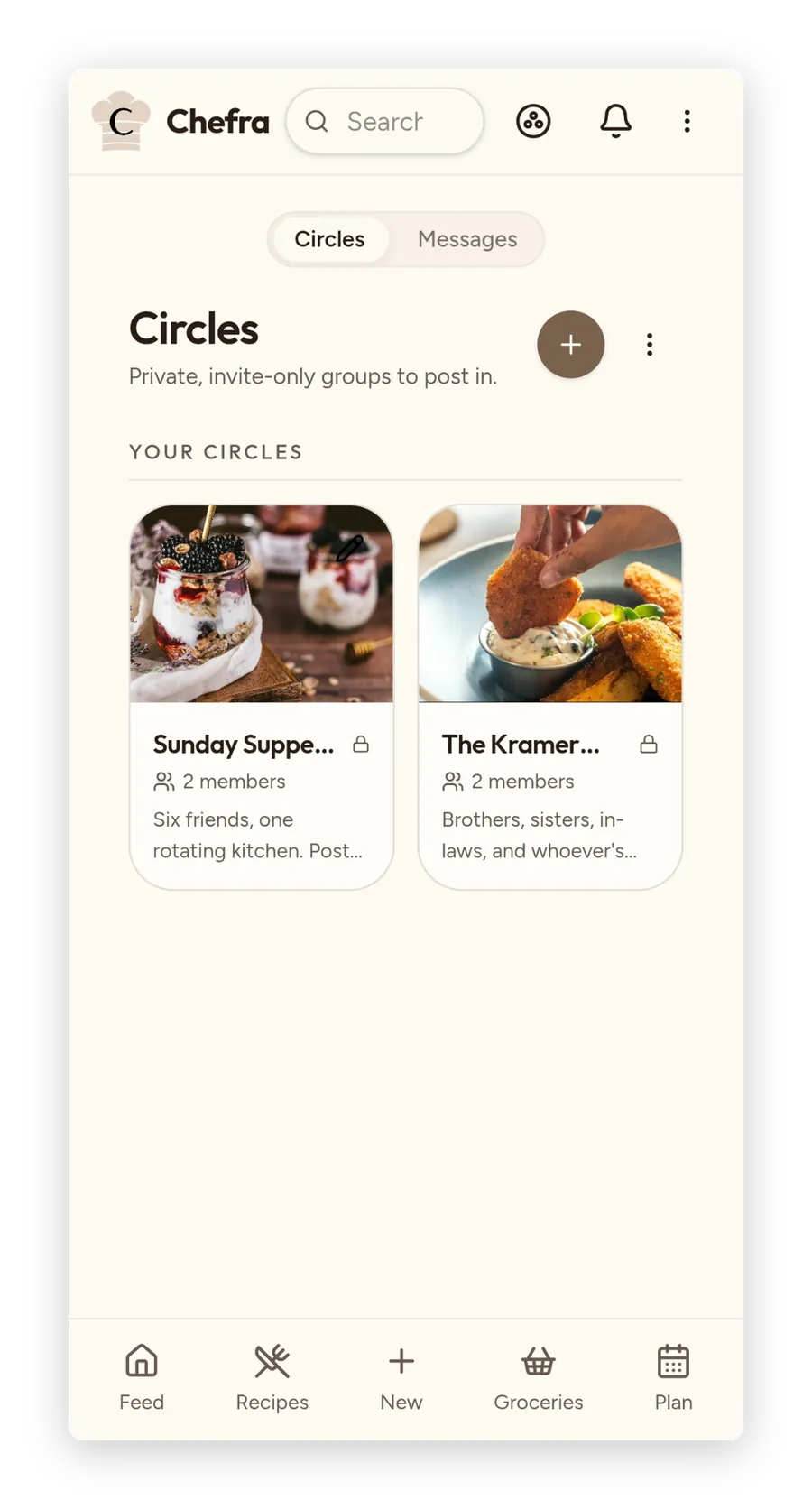
Make a Circle for your family and put your grandmother's recipes somewhere a house fire can't reach. Join a Kitchen and cook what other people are actually making this week. Follow cooks whose taste you trust. Send a recipe straight to one person.
Everyone needs their own account, and a free one is enough. There's no seat to buy.
A note from the founder
I created Chefra because I got tired of losing my recipes across saved posts, folders, and screenshots — never sure where I'd put the one I wanted when I needed it.
A few things you can count on: no ads. Your recipes are yours — I've had to fight to get my own data out of apps before, so I built this to where leaving takes nothing but a download. Every Circle, every Kitchen, all the sharing is free. Nothing in here is built to trick you into anything. Staying should be your choice, not my business model.
I'd give this away to everyone if I could, but it costs real money to run. So it's free for your first 150 recipes, no credit card required, and Premium is there when you need it — more information here.
— Eli Kramer
Founder, Chefra · Kansas
Where it runs
In any browser, installed to your home screen, and on the App Store and Google Play.
What free means
150 recipes, unlimited cookbooks, and every social feature — Circles, Kitchens, following, messages — with no card.
What leaves with you
Download your full account archive from Settings, and export your recipes to a spreadsheet from the recipe list. They're yours either way.